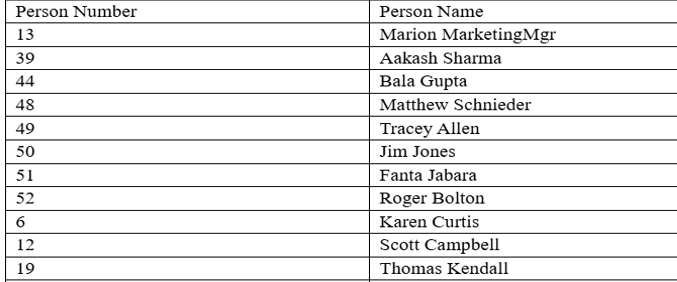
Purpose of the tutorial
You will learn how to build reports in Oracle Fusion HCM both with and without BI Publisher by following this tutorial. It offers a straightforward, step-by-step process to assist you in selecting the best reporting option for your needs.
Sql query (Query reference)
SELECT papf.PERSON_NUMBER
,ppnf.DISPLAY_NAME
FROM per_all_assignments_m paam
,per_person_names_f ppnf
,per_all_people_f papf
WHERE trunc(sysdate) between paam.effective_start_date and paam.effective_end_date
and paam.assignment_type = ‘E’
and paam.effective_latest_change = ‘Y’
and paam.assignment_status_type = ‘ACTIVE’
and paam.primary_flag = ‘Y’
and trunc(sysdate) between papf.effective_start_date and papf.effective_end_date
and paam.person_id = papf.person_id
and trunc(sysdate) between ppnf.effective_start_date and ppnf.effective_end_date
and ppnf.name_type = ‘GLOBAL’
and paam.person_id = ppnf.person_id
Create data model>Save As Sample Data>Create Report
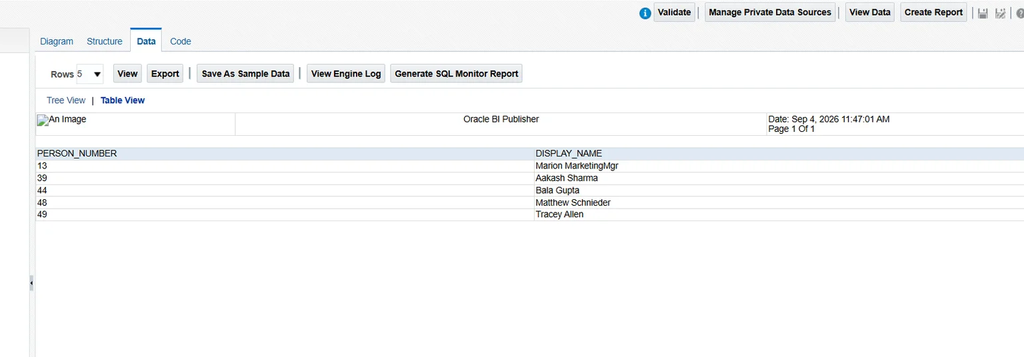
Without Bi Publisher(Creating an Excel template)
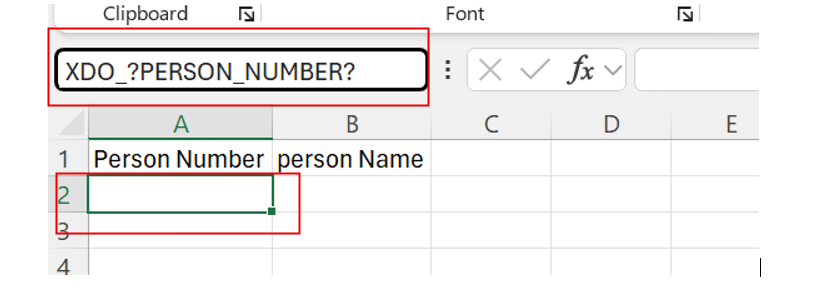
Put the attribute name within XDO_? ? to call an attribute in the template. For example, XDO_?TEST?. Verify that the tag name is written in capital characters. As an alternative, you may use the exact tag name in the template by copying it straight from the Data Model structure.
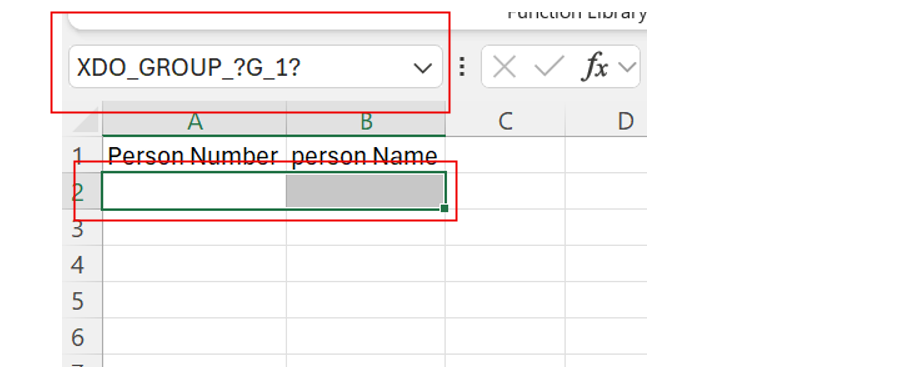
For the repeating group use XDO_GROUP_?G_1?
In the Excel template, select the row where you want to insert the attribute. Then, enter the tag name in the Name Box and press Enter.
You can view all the available attributes in the Excel template by navigating to Formulas → Name Manager.
To add group by(Select the row where you have inserted the tag) insert the group by tag in to the Name Box XDO_GROUP_?G_1? then enter
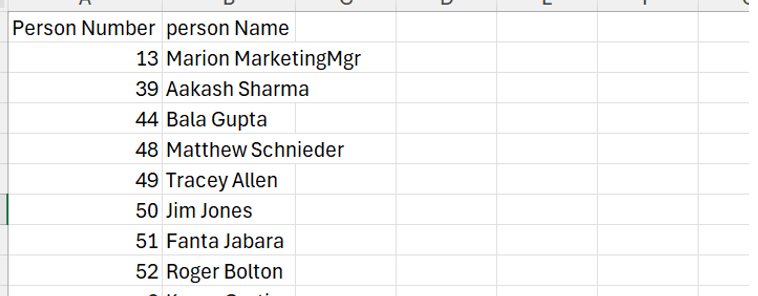
Output
With Bi Publisher(Creating an excel template)
Create data model>Export>Save As Sample Data>Create Report
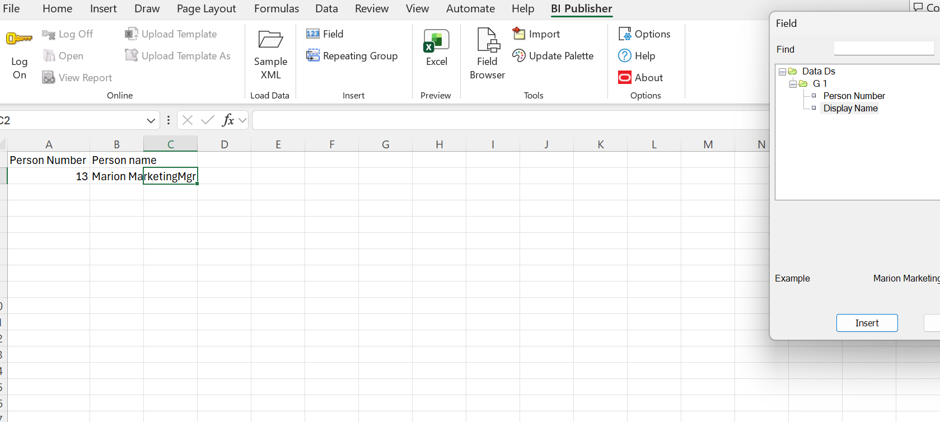
Open your Excel >Bi publisher>Sample XML>Field then insert the tag where you want
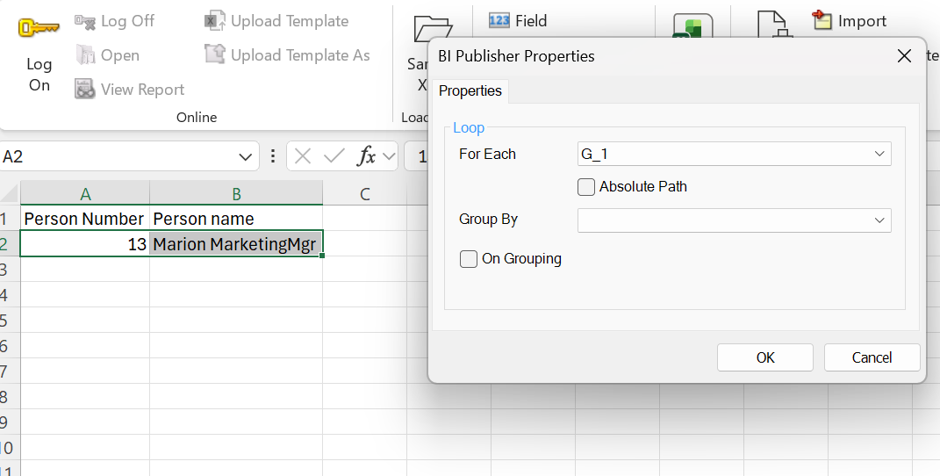
To add Repeating group select the row and click on the repeating group
Output