
Purpose of the tutorial
You will learn how to build reports in Oracle Fusion HCM both with and without BI Publisher by following this tutorial. It offers a straightforward, step-by-step process to assist you in selecting the best reporting option for your needs.
Sql query (Query reference)
SELECT papf.PERSON_NUMBER
,ppnf.DISPLAY_NAME
FROM per_all_assignments_m paam
,per_person_names_f ppnf
,per_all_people_f papf
WHERE trunc(sysdate) between paam.effective_start_date and paam.effective_end_date
and paam.assignment_type = ‘E’
and paam.effective_latest_change = ‘Y’
and paam.assignment_status_type = ‘ACTIVE’
and paam.primary_flag = ‘Y’
and trunc(sysdate) between papf.effective_start_date and papf.effective_end_date
and paam.person_id = papf.person_id
and trunc(sysdate) between ppnf.effective_start_date and ppnf.effective_end_date
and ppnf.name_type = ‘GLOBAL’
and paam.person_id = ppnf.person_id
Create data model>Save As Sample Data>Create Report
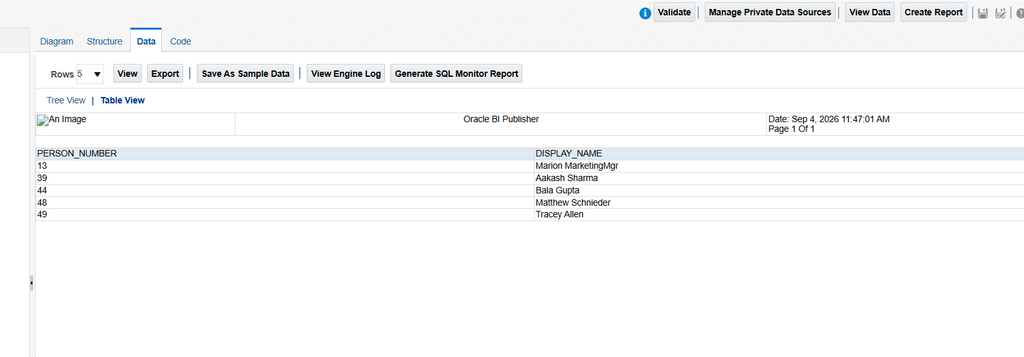
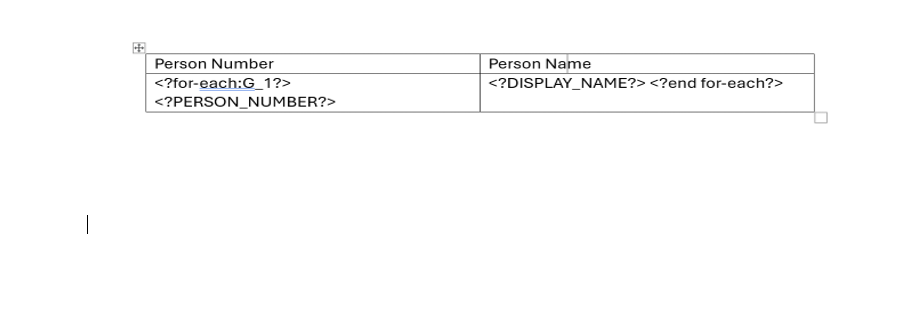
Without Bi Publisher(Creating a rtf template)
Put the attribute name within <? ?> to call an attribute in the template. For example, <?TEST?>. Verify that the tag name is written in capital characters. As an alternative, you may use the exact tag name in the template by copying it straight from the Data Model structure.
For the repeating group use <?for-each:G_1?>
For end the repeating group use <?end for-each?>
If you want to use the page braker use <?split-by-page-break:?>
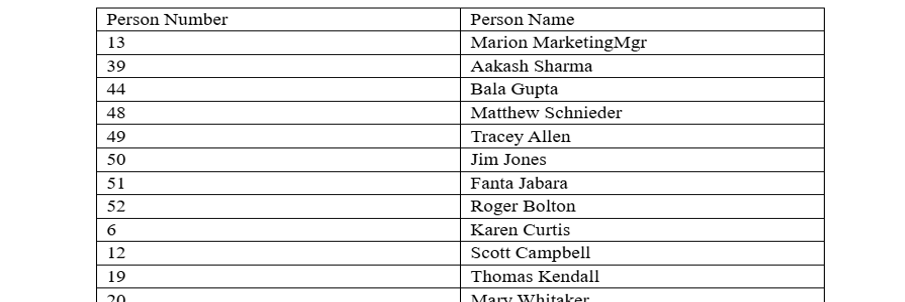
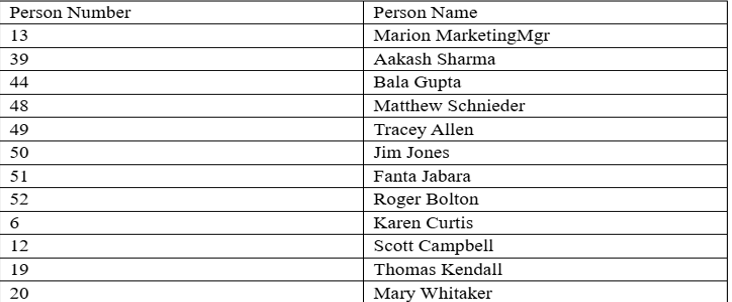
Output (Without Bi publisher)
With Bi Publisher(Creating a rtf template)
Create data model>Export>Save As Sample Data>Create Report
Open your Word >Bi publisher>Sample XML>Field then insert the tag where you want
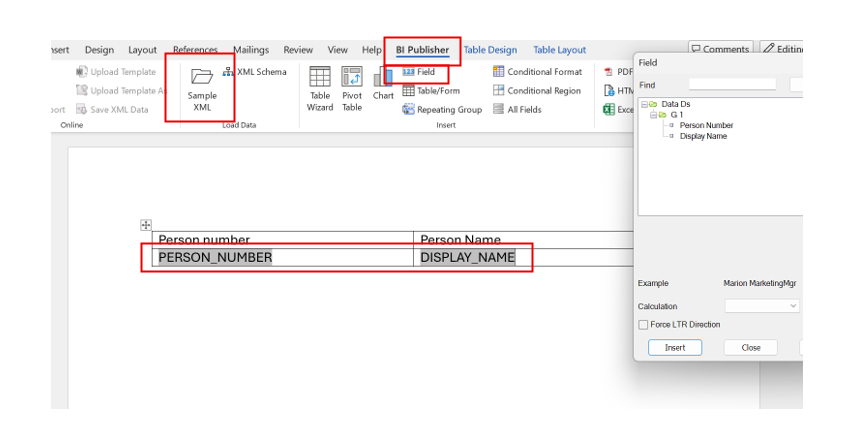
If you are unable to export your Data Model to BI Publisher due to an extra or blank tag, you can simply replace the tag with another attribute.
To do this, double-click the tag you have inserted and then select Word Properties. From there, you can replace the existing tag with the required attribute.
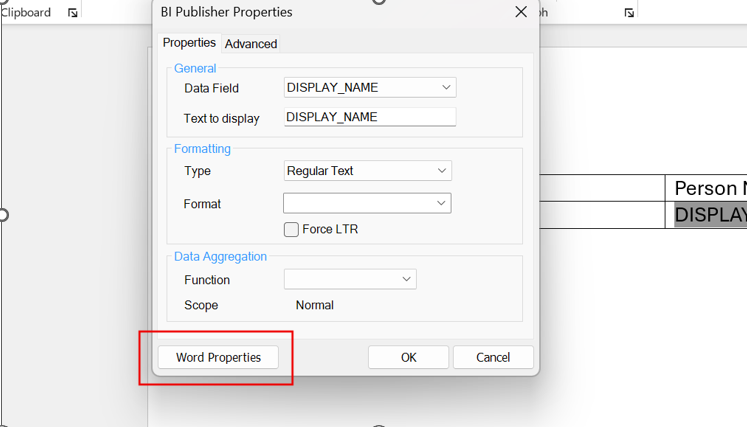
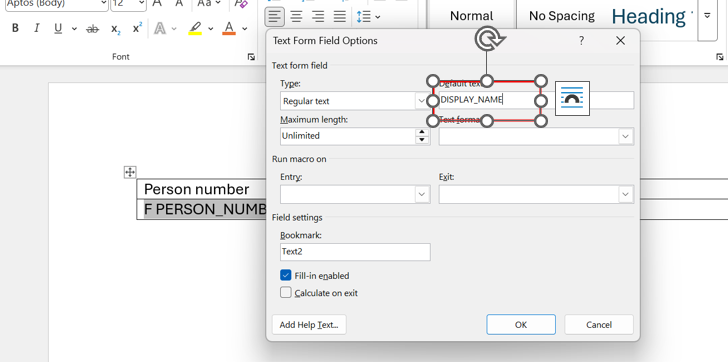
Change the Default text with the tag you want like DISPLAY_NAME with PERSON_ID
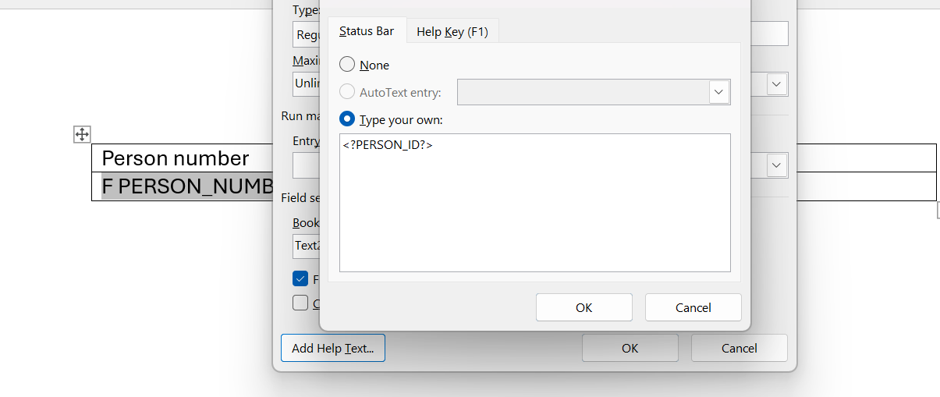
Click on Add Help text than add the tag name like
To add Repeating group click on the Repeating group
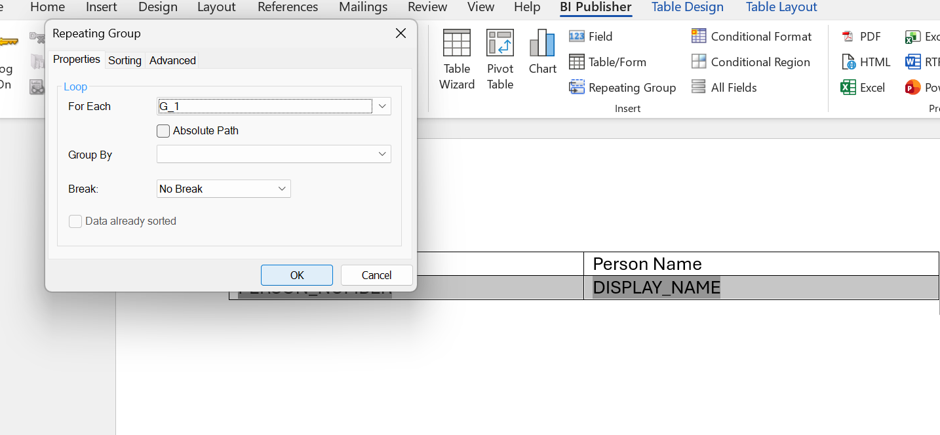
You can check all the attributes and repeating group from the Field Browser
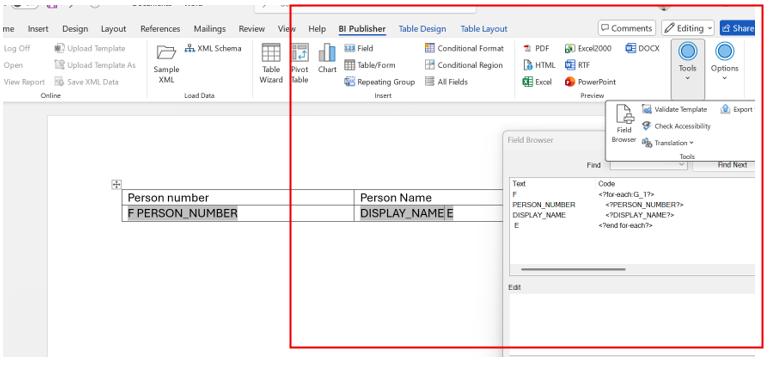
Output
Pingback: Email Notification Using Bursting – fusionhcmtechnical
I have been exploring for a little bit for any high-quality articles or weblog posts in this kind of area .
Exploring in Yahoo I finally stumbled upon this
site. Reading this information So i am glad to convey that
I have an incredibly good uncanny feeling I found out exactly what I needed.
I such a lot certainly will make sure to
do not put out of your mind this website and give it a look on a continuing basis.
Thank you!
I enjoy reading through a post that will make men and women think.
Also, many thanks for permitting me to comment!
Thank you!