
Purpose of the tutorial
The purpose of this tutorial is to understand how to use the Change Only Extract in Oracle Fusion HCM. When data is updated for an employee and we want the Extract to return only the records or attributes that have changed, rather than retrieving the employee’s complete data, we can use the Change Only feature.
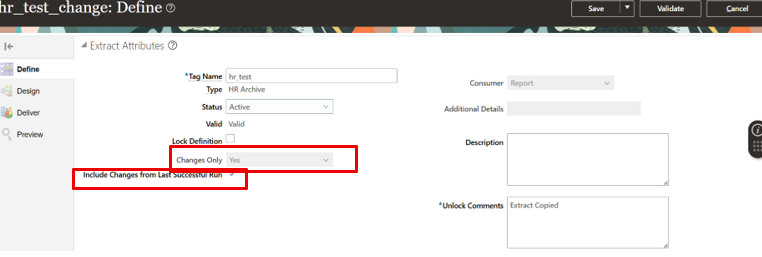
First, ensure that the Changes Only option is set to Yes and the Include Changes from Last Successful Run option is also selected.
Before moving on to Changed Attributes, please refer to our Basic HCM Extract Tutorial for a better understanding of the fundamental concepts and configuration steps.(Reference)
During the initial run, the HCM Extract retrieves the complete data for all attributes and stores the output as a baseline. When the Extract is run again in Change Only mode, it compares the current data with the data from the previous successful run and returns only the records or attributes that have changed.
So , first we will run for all attributes
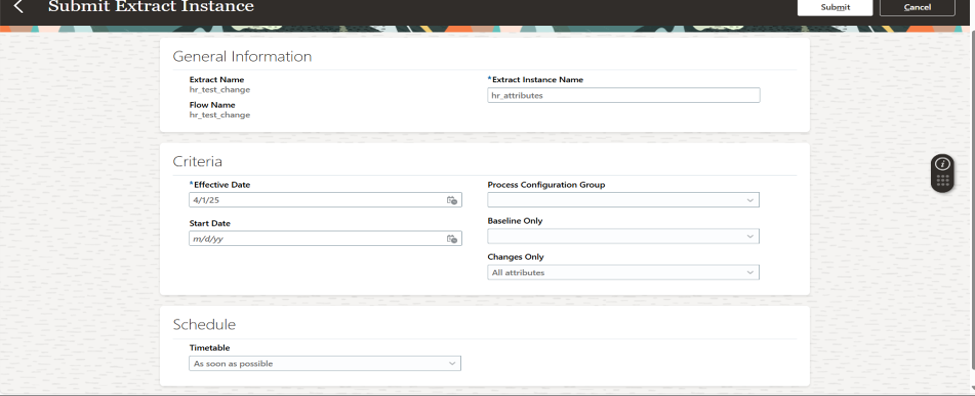
Output for all attribute
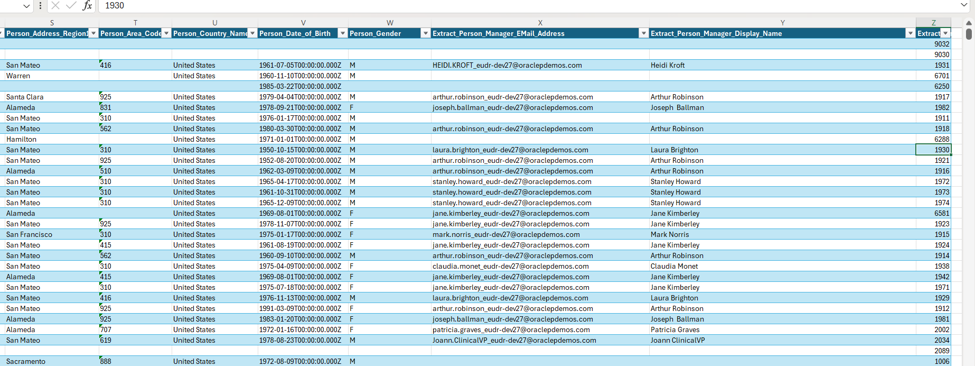
Suppose we update the data for a specific employee and want the Extract to return only the changed data.
For example, in this case, we have updated the Manager details for employee 1930. Since we only want to retrieve the data that has changed for this employee, we use the Change Only option in the HCM Extract.
When the Extract runs in Change Only mode, it identifies the changes made since the previous successful run and returns only the relevant changed data.
Also, make sure that you select the required Changed Attributes from the Changes Only section. This ensures that the Extract identifies and returns the specific attributes that were changed.
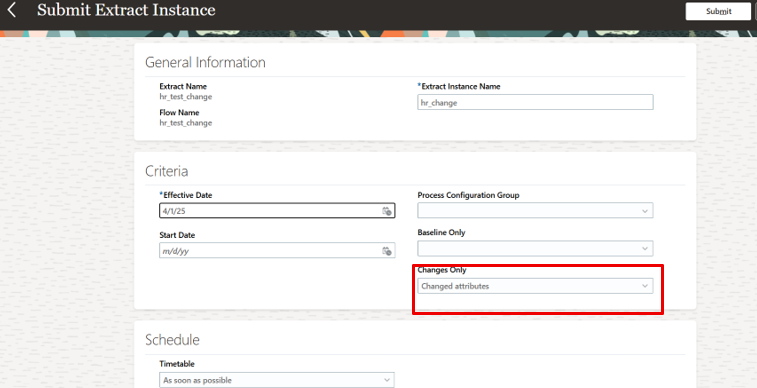
HCM Extracts changed attributes output
